
How Electronic Signature Pads Support Paperless Government Services
As governments continue to modernize public services, more administrative procedures are moving from paper-based processes to digital platforms. Online applications, electronic records and digital document management are now common in many public-sector organizations. However, at an in-person service counter, citizens may still need to review an application, confirm personal information, accept a declaration or sign an official document.
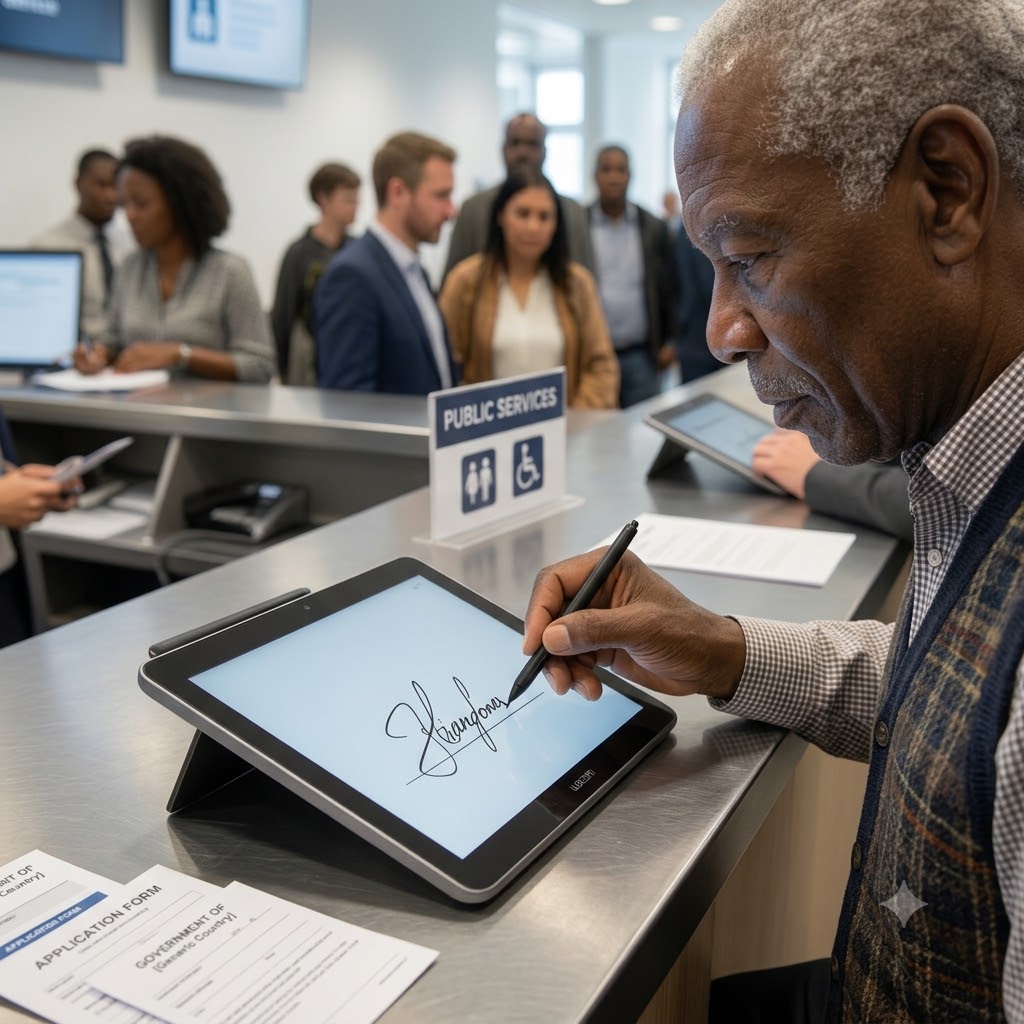
If these steps still require printing, handwritten signatures, scanning and physical filing, a government office cannot achieve a truly paperless workflow. An electronic signature pad provides a practical solution by bringing document display, information confirmation and handwritten signature capture into one digital process.
An electronic signature pad allows citizens to read forms and notices directly on the screen and sign them with a stylus. Depending on the device and software, the system may also display consent statements, highlight important information and guide the signer to the correct signature field. The signed document can then be associated with the relevant application number, citizen record, date and service counter.
For government employees, this eliminates several repetitive steps. In a traditional process, an employee may have to print a document, hand it to the applicant, check the signature, scan the signed pages and upload the resulting file. If the information is incorrect, the document may have to be corrected and printed again. With an electronic signature pad, the employee can update the information in the system and present the revised document immediately.
A relevant example can be found in the United States Department of Veterans Affairs’ technology reference information. The department describes pDoc Signer as a Windows application used to sign PDF documents securely with electronic signatures written on an ePad connected to a computer. This is a direct example of a government organization recognizing signature-pad technology as part of its electronic document environment. Source: U.S. Department of Veterans Affairs
This type of application demonstrates that an electronic signature pad is more than a digital version of a pen. When connected to a document management system, it becomes the citizen-facing endpoint of a larger workflow. The applicant reviews the document, provides a signature and confirms the transaction, while the back-office system manages document storage, access permissions and subsequent processing.

Paperless workflows can also produce measurable environmental and administrative benefits. The State of Hawaii operates a statewide eSign service used by government departments for employee onboarding and everyday document signing. Its official website explains that signers can complete documents from different offices, neighboring islands or other locations. The state also tracks environmental benefits associated with replacing paper-based processes, including reductions in water use, waste and wood consumption. Source: State of Hawaii eSign Service
Although Hawaii’s service supports remote signing as well as in-person use, the same workflow principle applies to an electronic signature pad at a government counter: documents remain digital from presentation and confirmation through signing and archiving. This reduces dependence on printers, scanners, paper transportation and physical storage.
Electronic signature pads can be used in many government service scenarios. Examples include property registration, tax services, social security applications, immigration services, public housing, business licensing, police administration and municipal service centers. They are particularly useful for application forms, consent forms, declarations, authorization documents, receipt confirmations and document-release records.
Citizens also benefit from a clearer and more convenient experience. Instead of being asked to sign several printed pages without seeing how the information was generated, they can review the actual electronic document. The screen can provide signing instructions, page navigation and confirmation prompts. Because signing with a stylus resembles writing on paper, the process is familiar and requires little training.
Electronic records are also easier to organize and retrieve than physical files. A signed document can be indexed according to the applicant, transaction number, date and service category. Authorized employees can locate it without searching through filing cabinets or transporting folders between departments. Digital records can also support audit trails showing when a document was presented, signed and processed.
However, a captured image of a handwritten signature does not automatically constitute a secure or legally valid digital transaction. Government agencies must consider local electronic-signature laws, identity verification, encryption, tamper detection, access control, timestamps, audit records and retention policies. The signature pad should therefore be deployed as part of a complete and compliant electronic-signature system.
By reducing printing, scanning, manual data entry and physical filing, electronic signature pads can help governments build faster and more sustainable services. They connect citizens with digital government platforms while preserving the familiar experience of handwritten signing, making them a valuable component of modern paperless public administration.